Trinket.io is shutting down.
-
Trinket.io is shutting down.
I'm kind of bummed. It doesn't seem possible to spin up your own version on a local server so I need to decide what to do for fifth grade python programming by the end of the summer.
The head of IT put me on to trinket... I didn't like that it was an IDE in a browser. But It was clean.
Please don't tell me "just install linux on 300 chromebooks."
That would be nice, but it's not in my control. I could ask IT to add apps to the the chromebooks however.
@futurebird teach the kids C++ and use godbolt
-
@futurebird teach the kids C++ and use godbolt
Yup bad.
-
Trinket.io is shutting down.
I'm kind of bummed. It doesn't seem possible to spin up your own version on a local server so I need to decide what to do for fifth grade python programming by the end of the summer.
The head of IT put me on to trinket... I didn't like that it was an IDE in a browser. But It was clean.
Please don't tell me "just install linux on 300 chromebooks."
That would be nice, but it's not in my control. I could ask IT to add apps to the the chromebooks however.
"What About Open Source?
We will be releasing the Trinket software as open source."
If that's not an empty promise, you might get lucky. I wish they did this before shutting down. Just to demonstrate to the user that it will really happen.
-
Trinket.io is shutting down.
I'm kind of bummed. It doesn't seem possible to spin up your own version on a local server so I need to decide what to do for fifth grade python programming by the end of the summer.
The head of IT put me on to trinket... I didn't like that it was an IDE in a browser. But It was clean.
Please don't tell me "just install linux on 300 chromebooks."
That would be nice, but it's not in my control. I could ask IT to add apps to the the chromebooks however.
@futurebird you're not going to like this but maybe you can install something like Termux on those chromebooks and teach the students to use nvim

Probably not, though. Learning Python AND a totally different way to edit text would be tough for most students, although for a few it might be great.
-
"What About Open Source?
We will be releasing the Trinket software as open source."
If that's not an empty promise, you might get lucky. I wish they did this before shutting down. Just to demonstrate to the user that it will really happen.
If they get it out by June I could try to set it up over the summer for next fall. But it takes time to make these things.
At least IT is now more on my side about not depending on webapps as much. I think they just thought I was being an anti-corporate hippie. Which (to be clear) I WAS. However. I'm also right.
-
 F myrmepropagandist shared this topic
-
@futurebird you're not going to like this but maybe you can install something like Termux on those chromebooks and teach the students to use nvim
Probably not, though. Learning Python AND a totally different way to edit text would be tough for most students, although for a few it might be great.
What I could use is an app, that is in the "google play store" that you can buy, or is free... with no ads (non-negotiable about the ads, this is for school)
That was kind of an all in one python compiler and text editor.
On mac, python is in the command line and I use "thony" or other IDEs to work with it (or terminal if I want to scare the children)
But what do you do on a got dang chromebook?
I don't need to run big programs. Just turtle and scripts.
-
What I could use is an app, that is in the "google play store" that you can buy, or is free... with no ads (non-negotiable about the ads, this is for school)
That was kind of an all in one python compiler and text editor.
On mac, python is in the command line and I use "thony" or other IDEs to work with it (or terminal if I want to scare the children)
But what do you do on a got dang chromebook?
I don't need to run big programs. Just turtle and scripts.
I made the seniors in advanced CS use ONLY terminal for a whole week and got a "thank you" letter from one at college.
"everyone thinks I'm a hacker this is amazing"
Yes, it is that easy I suppose.
-
What I could use is an app, that is in the "google play store" that you can buy, or is free... with no ads (non-negotiable about the ads, this is for school)
That was kind of an all in one python compiler and text editor.
On mac, python is in the command line and I use "thony" or other IDEs to work with it (or terminal if I want to scare the children)
But what do you do on a got dang chromebook?
I don't need to run big programs. Just turtle and scripts.
@futurebird @alter_kaker Termux is in the app store: https://play.google.com/store/search?q=termux&c=apps
(Though it is better to install it via official repository or F-Droid, at least it's there.) Whether that would work on a Chromebook or not I have no idea. It's also very very limited and would probably limit programming activities a lot.
-
Trinket.io is shutting down.
I'm kind of bummed. It doesn't seem possible to spin up your own version on a local server so I need to decide what to do for fifth grade python programming by the end of the summer.
The head of IT put me on to trinket... I didn't like that it was an IDE in a browser. But It was clean.
Please don't tell me "just install linux on 300 chromebooks."
That would be nice, but it's not in my control. I could ask IT to add apps to the the chromebooks however.
@futurebird They say they're open-sourcing it, so maybe it won't be hard to run a local instance?
-
Trinket.io is shutting down.
I'm kind of bummed. It doesn't seem possible to spin up your own version on a local server so I need to decide what to do for fifth grade python programming by the end of the summer.
The head of IT put me on to trinket... I didn't like that it was an IDE in a browser. But It was clean.
Please don't tell me "just install linux on 300 chromebooks."
That would be nice, but it's not in my control. I could ask IT to add apps to the the chromebooks however.
@futurebird I want to say you really should talk to IT about it if they actually could run Linux, but most these days are locked down. It's a crime that they sell to schools and such frankly. They're designed to be locked down, heavily tracked, etc etc and then to be abandoned and force schools to buy new ones every so often...
(Which really, quite literally, shouldn't be legal... I mean, how is that not a con?)
-
@futurebird @alter_kaker Termux is in the app store: https://play.google.com/store/search?q=termux&c=apps
(Though it is better to install it via official repository or F-Droid, at least it's there.) Whether that would work on a Chromebook or not I have no idea. It's also very very limited and would probably limit programming activities a lot.
Can it read and write to text files in the same folder as the code?
Nothing we do is intensive, but I like to show them how to deal with files.
-
Can it read and write to text files in the same folder as the code?
Nothing we do is intensive, but I like to show them how to deal with files.
@futurebird @alter_kaker It does sandboxed access, but yes, it can get to files in the same folders as whatever it accesses. (You may have to grant access if it works like with Android.)
Basically it gives you a Busybox-like terminal with a lot of actual apps that can actually install, but it's all kind of custom, not from official distros or anything, so limited in what the author can get working in that environment. A lot of stuff does work, but hardware access, for example, can be tricky/impossible.
-
@futurebird I want to say you really should talk to IT about it if they actually could run Linux, but most these days are locked down. It's a crime that they sell to schools and such frankly. They're designed to be locked down, heavily tracked, etc etc and then to be abandoned and force schools to buy new ones every so often...
(Which really, quite literally, shouldn't be legal... I mean, how is that not a con?)
If I worked for IT and was an linux expert I would do this. But as it stands I'm not dealing with their stuff and can't demand they learn a whole new thing and do a bunch of work. I just walk in and expect all t he computers to work.
And they do this very well.
-
What I could use is an app, that is in the "google play store" that you can buy, or is free... with no ads (non-negotiable about the ads, this is for school)
That was kind of an all in one python compiler and text editor.
On mac, python is in the command line and I use "thony" or other IDEs to work with it (or terminal if I want to scare the children)
But what do you do on a got dang chromebook?
I don't need to run big programs. Just turtle and scripts.
@futurebird @alter_kaker no clue what your after, other than that Chromebook environments have a ton of apps to search through
Python Playground - Chrome Web Store
Try Python Playground - a fast, easy and convenient Python compiler and editor that can be used in any tab as an online Python IDE.

(chromewebstore.google.com)
-
Can it read and write to text files in the same folder as the code?
Nothing we do is intensive, but I like to show them how to deal with files.
@futurebird it's basically just a terminal emulator. It can run Python and what not. But if you need an IDE too, you'd have to have a separate app or run a terminal IDE like nvim in it
@nazokiyoubinbou -
What I could use is an app, that is in the "google play store" that you can buy, or is free... with no ads (non-negotiable about the ads, this is for school)
That was kind of an all in one python compiler and text editor.
On mac, python is in the command line and I use "thony" or other IDEs to work with it (or terminal if I want to scare the children)
But what do you do on a got dang chromebook?
I don't need to run big programs. Just turtle and scripts.
@futurebird @alter_kaker I know you don't like the browser based UI, but I'd recommend JupyterLab -- Honestly, It's become my default working environment for Python for a long time, implementing and testing stuff bit by bit in notebooks even if they'll eventually be stand-alone scripts: https://www.codecademy.com/article/jupyter-notebook-chromebook
-
Trinket.io is shutting down.
I'm kind of bummed. It doesn't seem possible to spin up your own version on a local server so I need to decide what to do for fifth grade python programming by the end of the summer.
The head of IT put me on to trinket... I didn't like that it was an IDE in a browser. But It was clean.
Please don't tell me "just install linux on 300 chromebooks."
That would be nice, but it's not in my control. I could ask IT to add apps to the the chromebooks however.
@futurebird actually wait I think this supports python without having to do anything special
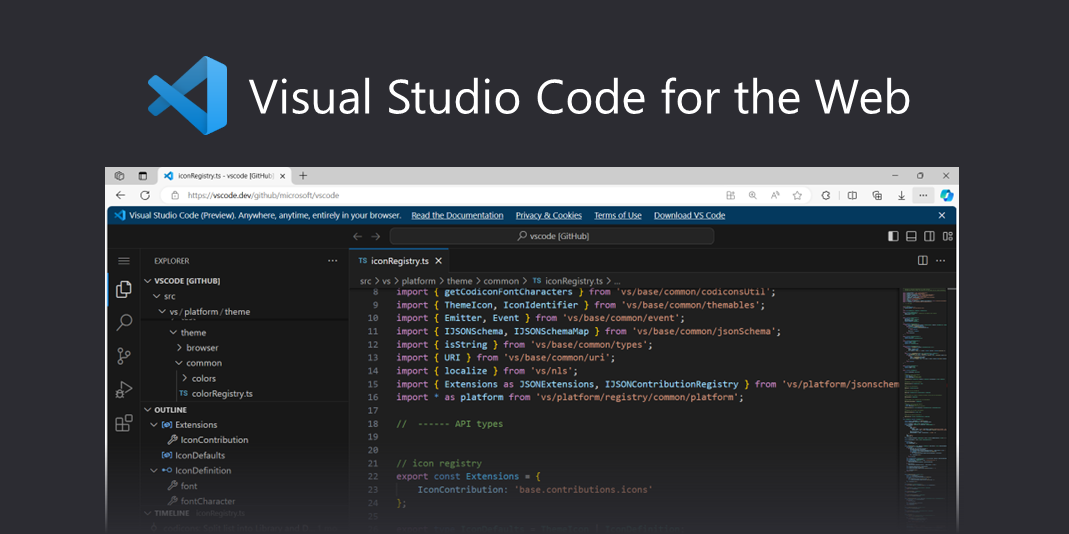
Visual Studio Code for the Web
Build with Visual Studio Code, anywhere, anytime, entirely in your browser.
(vscode.dev)
and it's run by microsoft so it's a lot less likely to suddenly disappear
-
@futurebird @alter_kaker I know you don't like the browser based UI, but I'd recommend JupyterLab -- Honestly, It's become my default working environment for Python for a long time, implementing and testing stuff bit by bit in notebooks even if they'll eventually be stand-alone scripts: https://www.codecademy.com/article/jupyter-notebook-chromebook
JupyterLab is OK but it's much more busy and confusing than trinkey.io which was perfect for fifth graders *without* limiting them much if they wanted to try to do some real coding.
It's a fine line.
-
If I worked for IT and was an linux expert I would do this. But as it stands I'm not dealing with their stuff and can't demand they learn a whole new thing and do a bunch of work. I just walk in and expect all t he computers to work.
And they do this very well.
@futurebird Yeah, was just saying basically that if they could be unlocked that would be a great option (and it's easier to learn than you think.)
I suspect the point is moot. Any semi-modern Chromebooks are probably locked down as much as an Apple device (albeit sometimes easier to "jailbreak" via exploits.) Google and OEMs realized quickly they could use that to cash in and people weren't fast enough on the draw in telling them no.
-
@futurebird Yeah, was just saying basically that if they could be unlocked that would be a great option (and it's easier to learn than you think.)
I suspect the point is moot. Any semi-modern Chromebooks are probably locked down as much as an Apple device (albeit sometimes easier to "jailbreak" via exploits.) Google and OEMs realized quickly they could use that to cash in and people weren't fast enough on the draw in telling them no.
apple laptops are pretty easy to do command line stuff on even with all of the security software.
I'm very happy with the macbooks in that way.